Built for pay that changes

Your pay changes.
Your rent doesn't.

BudgetBeacon works out what to put aside each week, from what you actually earned. No bank logins. Your data stays yours.

Takes a couple of minutes a week - you just enter what actually hit your account.

Free on one device, forever. No bank logins, no ads, no trackers.

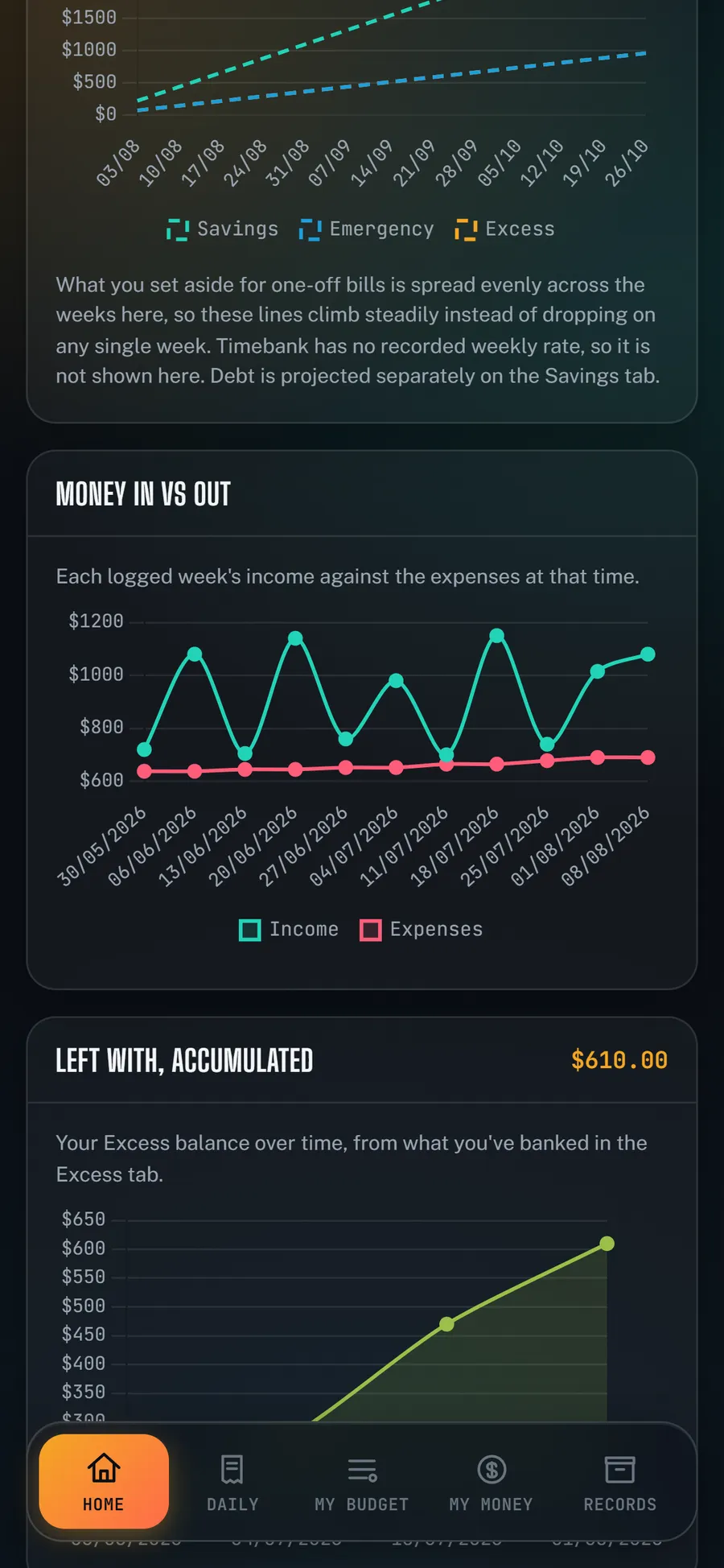
A Money In vs Out chart in the app: weekly income lurching between $700 and $1,150, staying above a steady expenses line around $650.
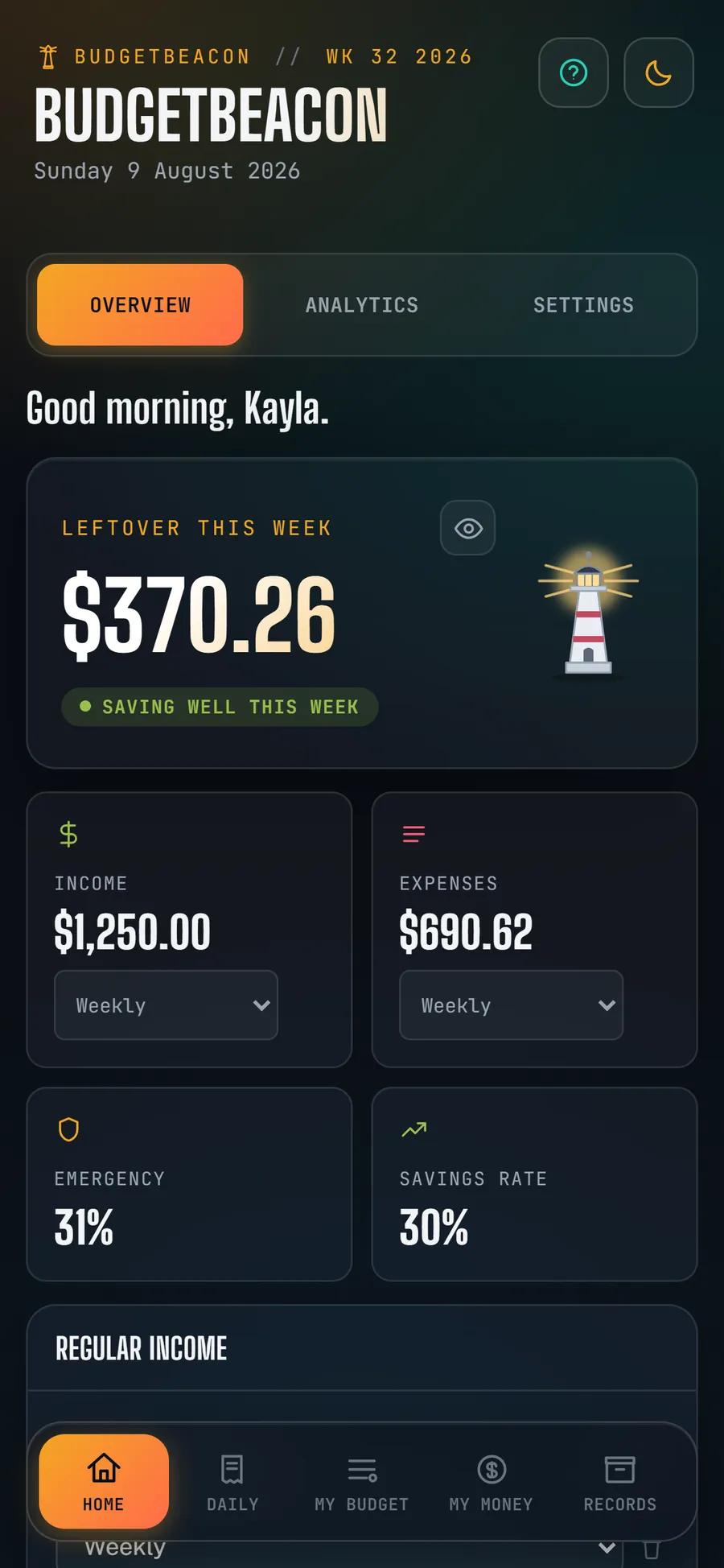
The BudgetBeacon Overview screen: $370.26 left over this week, a green Saving well this week status, and the lighthouse lit bright.
The problem

Most budgeting apps ask what you earn a month. If you work shifts, that question doesn't have an answer.

A good week and a quiet week are not the same week, and a budget that averages them is wrong in both. BudgetBeacon starts from what actually landed in your account this week.

Watch the maths

A bill lands. The plan adjusts.

Car registration. $940, due in seven weeks. Here is what BudgetBeacon does with it.

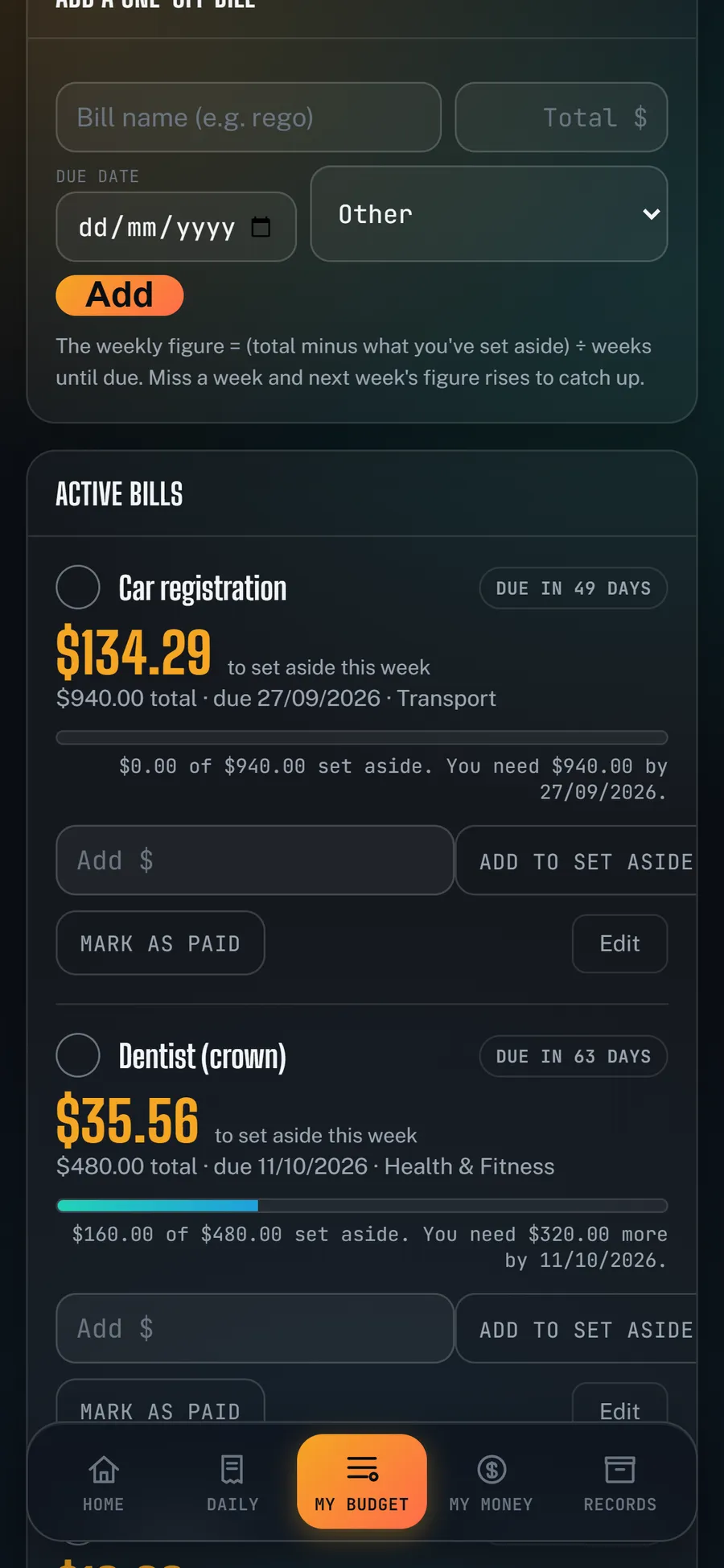
The One-Off Bills screen: Car registration, $134.29 to set aside this week, $0 of $940 saved yet, due 27/09/2026.
  1. 1
    The bill appears
    $940 · due in 7 weeks
  2. 2
    The maths runs
    $134/week, starting now
  3. 3
    A quiet week lands
    Fewer shifts. Less in.
  4. 4
    The number recalculates
    $161/week for the 6 weeks left

Most apps tell you after you couldn't pay it. This one tells you the week it changes.

Who it's for

Three people, three kinds of uneven.

The same problem wears different clothes. BudgetBeacon fits all three.

Kayla, 24 · hospitality
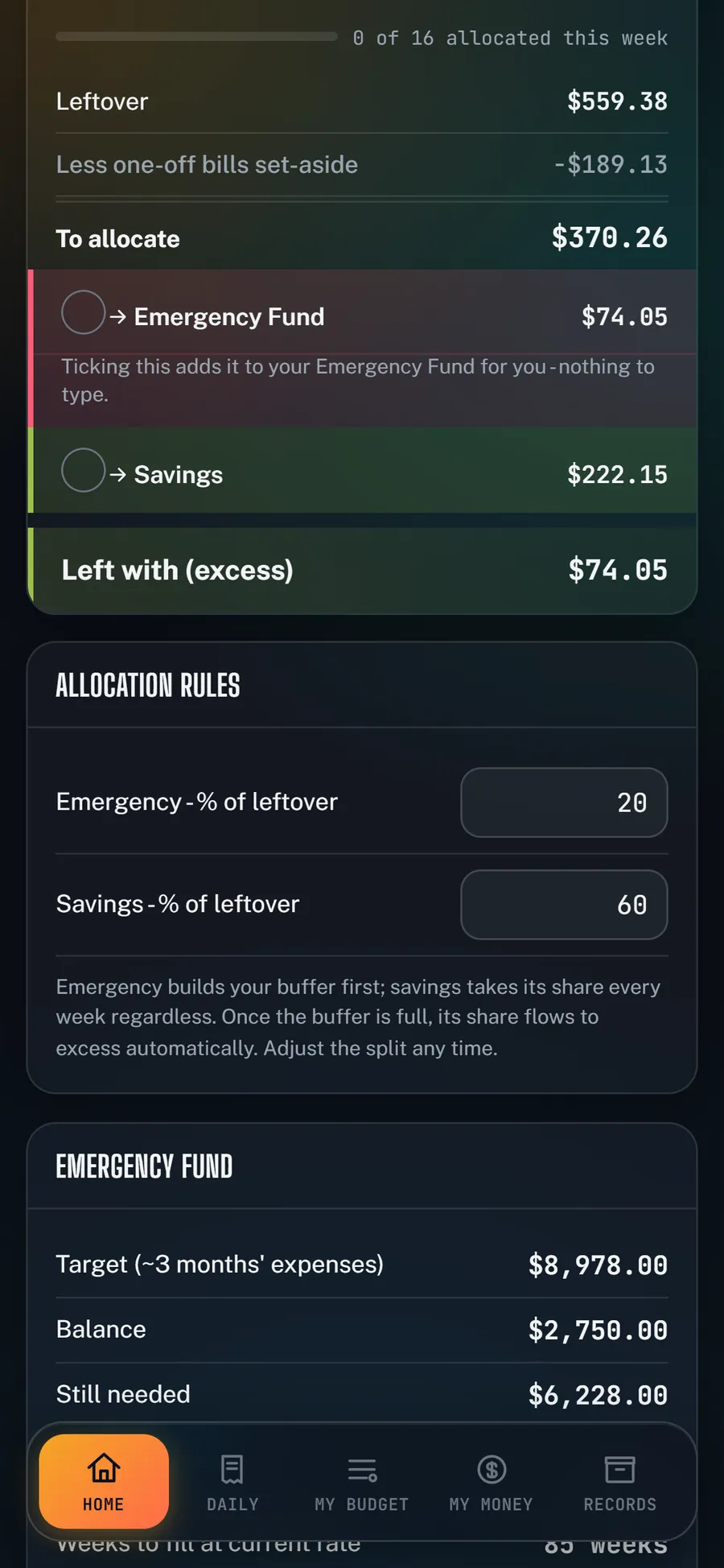
Kayla's This Week's Plan in the app: $370.26 to allocate, split into Emergency Fund and Savings.

Her roster changes every week. Some weeks she clears $1,100, some weeks $480. Rent is $380 either way. She could never tell a good week from a bad one until the money was already gone.

Variable income + the weekly plan
Mel, 38 · nurse
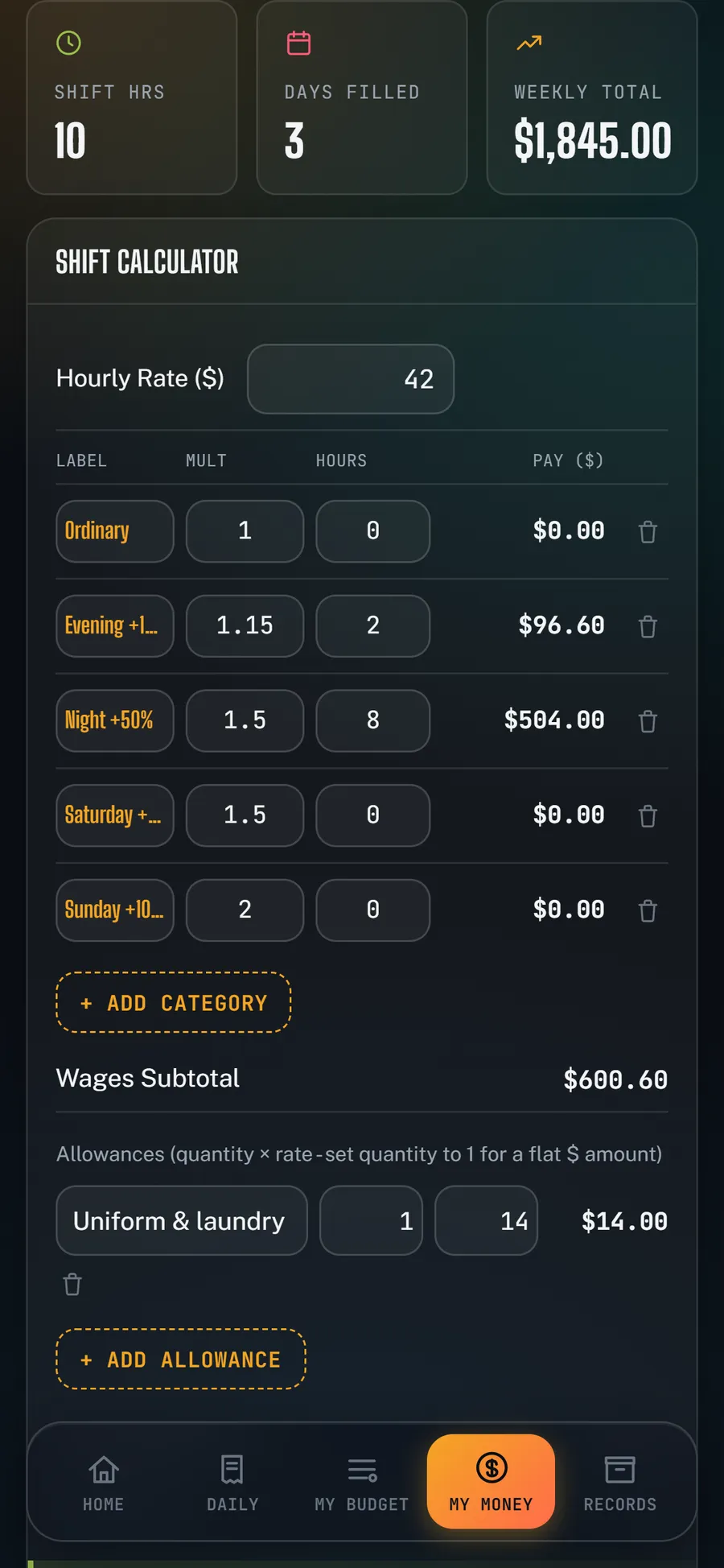
Mel's Pay Calculator in the app: penalty multipliers for evening and night shifts, a $614.60 gross shift, and a $1,845 weekly total.

Her hours are steady but her pay is not. Nights and weekends pay penalty rates, so a fortnight with two night shifts is a different fortnight entirely. Her pay looks regular on paper and never is.

Pay calculator + shift penalties
Dan, 45 · salaried
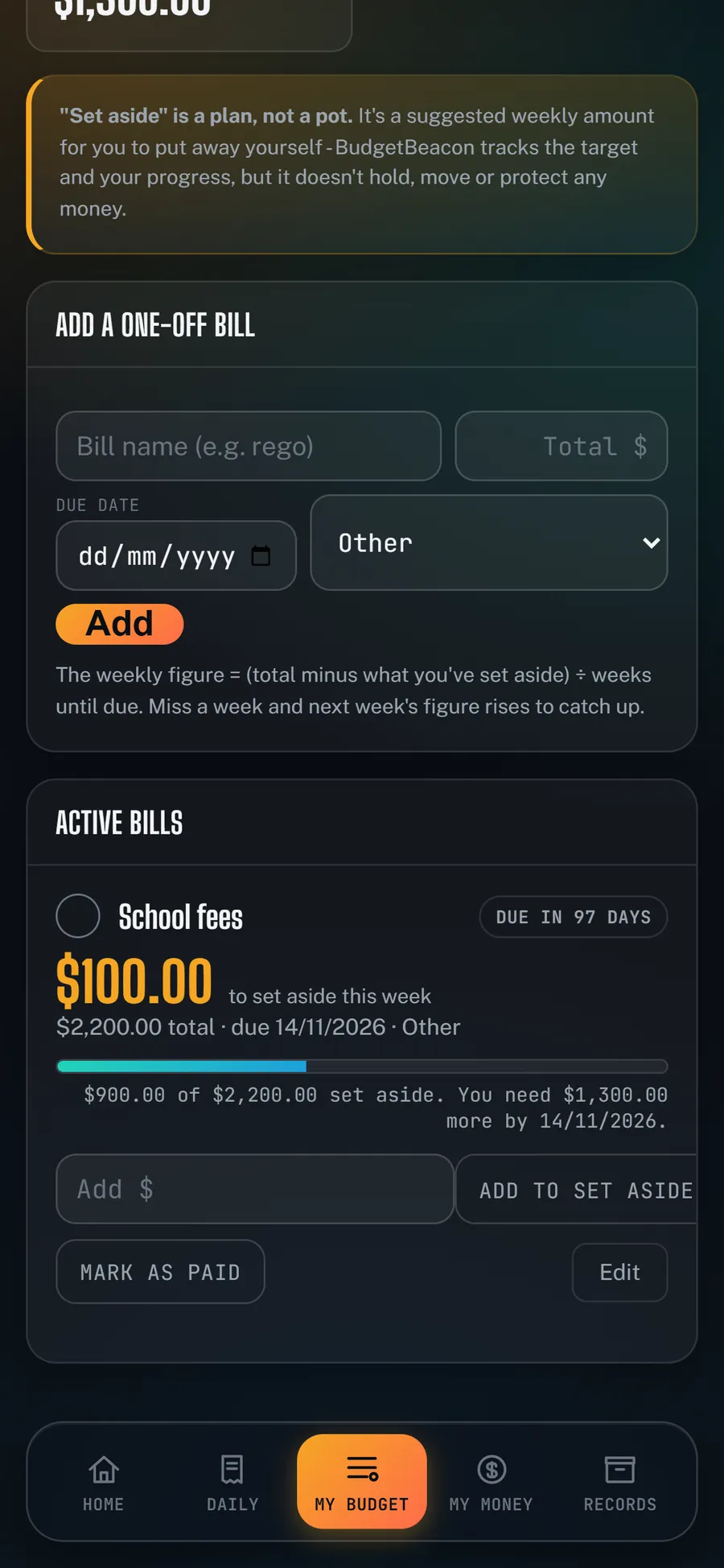
Dan's One-Off Bills in the app: School fees of $2,200, $100 to set aside this week, $900 already saved.

Same pay every month, and that was never his problem. Rego, insurance, the school fees in January. He was fine eleven months of the year and blindsided in the twelfth.

One-off bills + set-aside
Your data stays yours

No bank logins. Ever.

  • We never ask for your bank login. There is nothing to connect.
  • Your data stays yours. Export all of it, any time.
  • Anything you sync is stored on servers in Australia.
  • No ads. No trackers. Nothing about you is for sale.
Pricing

Free is the whole app.

Premium is coming. It adds convenience, never access.

FreeAccount required
  • Every tab and every feature
  • Your full history, no limit
  • Cloud backup of your data
  • One device
  • Receipts and documents kept on your device
  • A brief report
  • The lighthouse mascot
PremiumComing

Everything in Free, plus

  • Sync across unlimited devices
  • Receipts and documents backed up to the cloud
  • CSV exports for Xero and the ATO
  • The comprehensive PDF report
  • Every mascot

Free is not a trial, and it does not expire. When Premium arrives, Free stays exactly as it is.

Questions

The things people actually ask.

Do I need to connect my bank?

No, and you can't. There is no bank connection anywhere in the app, by design.

Do I need an account?

Yes - it is how you sign in, and how sync will work when Premium arrives. It never asks for a card. Your budget is saved to your account on our servers in Sydney and cached on your device, so it works offline and survives a lost phone. A downloaded backup is still worth keeping.

Where is my data?

On the free plan, on your device - you can export all of it, any time. Cloud backup and sync, stored in Australia, come with Premium (on the way).

What happens to my data if I clear my browser history?

On the free plan your budget is saved on this device only, so clearing your browser's history and site data - or an automatic clear, which iPhones can do after about a week of not opening the app - erases it. Your account is safe, but the budget is gone unless you kept a downloaded backup, so back up regularly. On Premium (coming), your data is backed up to our servers in Australia and restores when you sign in.

What happens if I stop paying for Premium?

You keep your data and the full free app, and you can export everything. Premium adds convenience, not access.

Is it really free?

Yes. The whole app, on one device, permanently. Premium adds sync and more when it arrives.

Start this week

Find out what's left, before the week does.

Create your account

Free on one device, forever. No bank logins, no ads, no trackers.

Create your account